See what you would look like with veneers, before you commit
You can see a close preview of your smile with veneers in four main ways, from a 60 second AI photo preview to a trial smile your dentist bonds onto your teeth. Each one trades time and cost for how close it gets to the final result. Here is how they compare, and how to get a preview worth trusting.
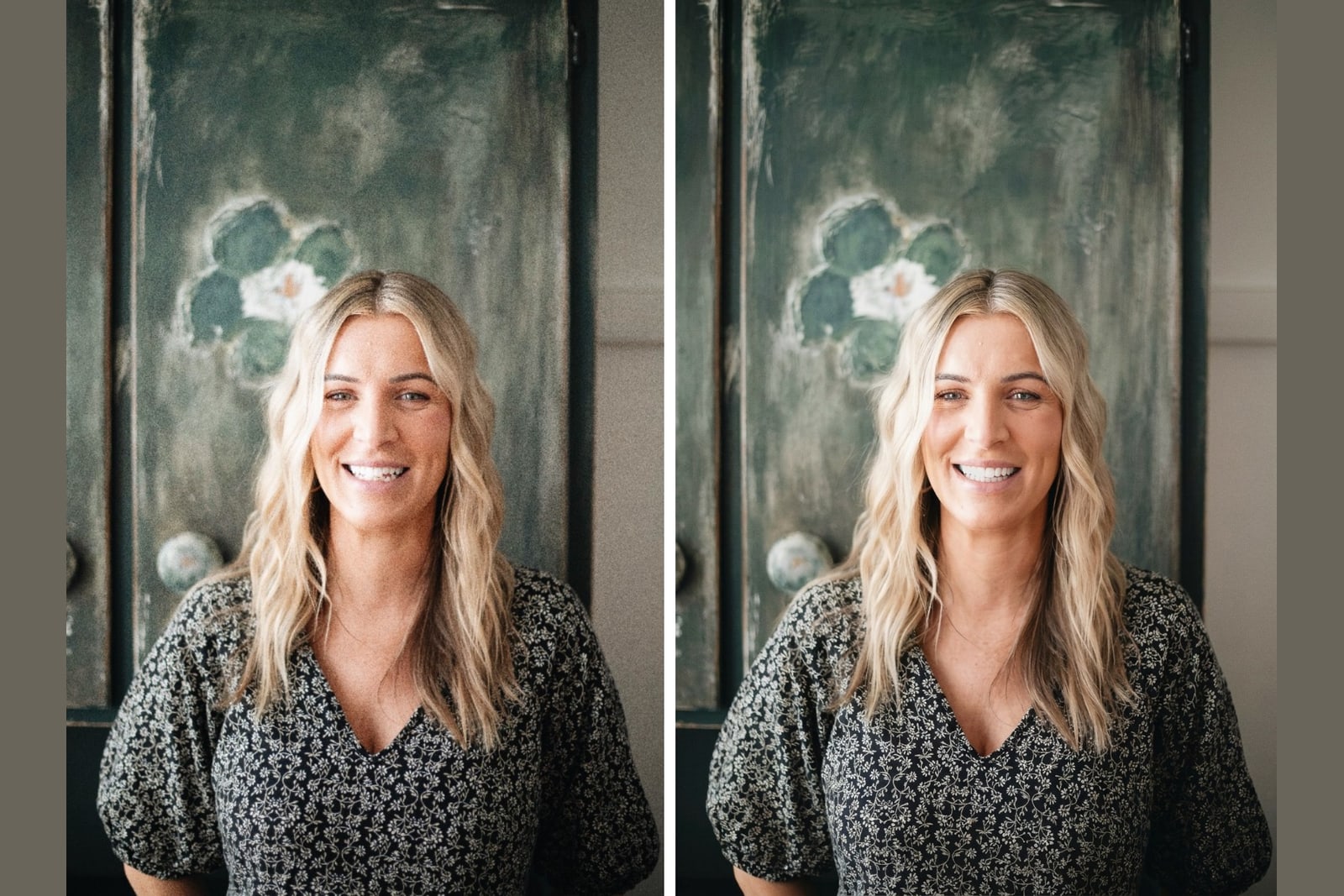
Key takeaways
- Four common ways to preview veneers: an AI photo preview, a digital smile design, a dentist mockup, and a trial smile.
- An AI photo preview takes about 60 seconds and shows the look on your own face for a one time payment from 39 dollars.
- A trial smile is the closest to the final result because a dentist builds it in your mouth, and it costs the most.
- A preview shows the look, not your bite or gum health. A licensed dentist confirms what is safe for you.
Veneerly is an aesthetic preview tool. It is not dental or medical advice and it is not a substitute for a consultation with a licensed dentist.
What does previewing veneers mean?
Previewing means seeing the shape and color of veneers applied to your smile before any tooth is touched. It lets you judge the look, share it with a dentist, and decide whether veneers are worth it for you. A preview is a visual guide to the result, not a promise of the exact final smile.
Veneers are a permanent choice, so seeing the look first removes a lot of the guesswork. The four methods below range from instant and low cost to slow and clinical, and you can use them in order as you get more serious.
The four ways to see veneers before you commit
| Method | Time | Cost | How close to final | What you keep |
|---|---|---|---|---|
| AI photo preview | About 60 seconds | One time, from 39 dollars | Shows shape and shade on your real face | A before and after image |
| Digital smile design | A few days | Set by your dentist | A designed preview on your scans or photos | A design plan from your dentist |
| Dentist mockup | One visit | Set by your dentist | A model or on screen preview | A printed or digital mockup |
| Trial smile | One visit | Set by your dentist, the priciest preview | Closest, built in your mouth | A temporary preview you wear briefly |
AI photo preview
You upload one normal smiling photo and an AI tool renders veneers onto your existing teeth. It is the fastest and lowest cost way to see your own face with a new smile. With Veneerly you get ten designs across five styles in about 60 seconds, then set the shade and download a before and after. It shows the look, not a clinical plan.
Digital smile design
A dentist uses scans or photos of your mouth to design a smile on a computer, mapping tooth shapes and proportions to your face. It is more clinical than a photo preview and feeds directly into your treatment, so it takes longer and the price is set by the clinic.
Dentist mockup
Your dentist creates a model or on screen version of the planned smile during a visit. It is a useful in person reference and a step toward treatment, though it is slower to arrange than a preview you can do at home.
Trial smile
A trial smile, sometimes called a temporary, is a thin layer a dentist bonds onto your teeth so you can wear the new shape for a short time. It is the closest preview to the final result because it sits in your mouth, and it is the most involved and the most expensive.
How to take a photo that previews well
A good photo is the difference between a preview you trust and one you do not. For an AI photo preview, follow these five steps.
- Face the camera straight on with a full smile so your front teeth show.
- Stand in soft even light, like a window, and avoid harsh shadows.
- Keep your lips relaxed and open so the edges of your teeth are visible.
- Hold the camera at eye level, not above or below your face.
- Turn off filters and beauty modes so the color of your teeth stays true.
How close is a preview to the real result?
An AI photo preview and a digital smile design show the shape and shade accurately, so the look is close to what veneers can do. The final result also depends on your enamel, your gums, and your bite, which a dentist assesses in person. Treat any preview as a strong guide to the look, not an exact copy of the outcome.
What a preview cannot tell you
A preview shows the look. It cannot tell you whether veneers are right for your teeth, how your bite will feel, or whether your gums are healthy enough for treatment. Those answers come from a licensed dentist after an exam. The smart path is to preview the look first, then bring it to a professional to confirm what is possible for you.
Frequently asked questions
Can I see veneers on my own face?
Yes. An AI photo preview renders veneers onto a photo of your real smile, so you see your own face rather than a model. Veneerly does this in about 60 seconds and updates only the teeth.
Is an online veneer preview accurate?
It accurately shows the shape and shade of the look you are considering. The final result also depends on your enamel, gums, and bite, which a licensed dentist assesses in person.
Do I need a dentist to preview veneers?
No. You can start with an AI photo preview at home, then take the before and after image to a dentist to talk through what is possible for you.
How much does it cost to preview veneers?
An AI photo preview with Veneerly starts at 39 dollars as a one time payment. A dentist mockup, digital smile design, or trial smile is priced by the clinic.
Will a preview show the exact shade I want?
Yes. With Veneerly you set the shade across six levels, from Natural Ivory (A1) to Ultra White (BL1), so you can match the brightness you have in mind.
See your own smile in about 60 seconds
Upload one photo and preview your face with veneers. One payment, no subscription.
Preview my smile